Google Ads OpenClaw for Shopify: Catalog Sync to Export
Implementation guide for Google Ads OpenClaw on Shopify: catalog sync, variant-aware product handling, approval-safe changes, and Merchant Center handoff.
 Alex Turneron March 6, 2026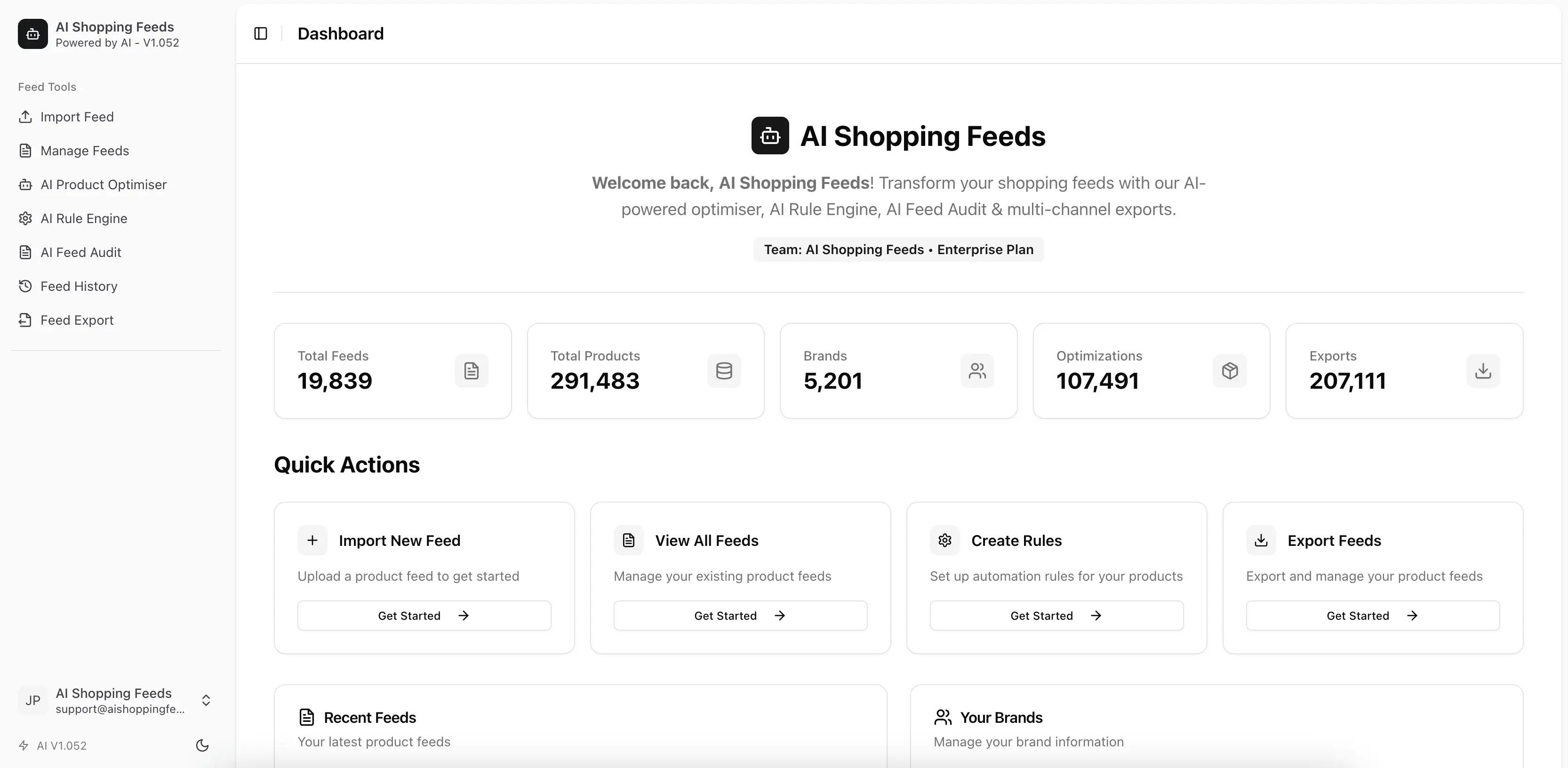
If you are searching for google ads openclaw, what you usually want is not a new campaign interface. You want a practical way to operate the feed workflow that influences Google Shopping performance without handing every recurring task to spreadsheets or custom scripts. AI Shopping Feeds makes that workflow realistic because the agent layer sits on top of a real catalog system: Shopify import and sync support, variant-aware products, team-scoped access, AI-assisted product improvements, and export workflows that fit Merchant Center-oriented operations. OpenClaw then becomes the operator experience for that system rather than a vague AI wrapper.
What this means for Shopify stores
For a Shopify store, Google Ads feed work typically begins much earlier than the ad platform.
It begins when the team decides whether titles are structured well enough to match shopping intent, whether variants are represented clearly enough to avoid confusion, whether categories are specific enough to help discovery, and whether the source data is fresh enough to trust.
That is why OpenClaw is useful here. It lets a human operator work through that operational layer with an agent:
- inspect one feed
- review weak product data
- prepare targeted fixes
- approve changes
- hand the result into the Merchant Center side of the workflow
For many Shopify teams, that is the missing middle between “do it manually” and “build a custom product-feed control plane from scratch.”
How AI Shopping Feeds actually works
AI Shopping Feeds is the execution layer that makes OpenClaw credible.
The backend supports Shopify OAuth connections, Shopify product import, variant handling, deleted-product tracking, and auto-refresh. The platform also exposes brands, feeds, products, AI optimisation, export routes, and a public MCP surface at /api/v1/mcp.
That means OpenClaw is not being asked to simulate a feed system. It is being asked to operate one.
This matters because feed work is tool-driven. The assistant needs structured access to products, not just the ability to talk about products. The more explicit the feed system is, the more useful the agent becomes.
Shopify workflow: from catalog sync to Merchant Center export
The title of this post matters because it captures the real sequence.
1. Catalog sync
The workflow begins with Shopify as the upstream product source. Products and variants need to be available in a governed feed environment before the team asks an agent to improve anything.
2. Feed inspection
This is where OpenClaw is immediately useful. The operator can ask the agent to inspect the feed for:
- titles missing variant attributes
- sparse descriptions
- inconsistent product typing
- weak category mapping
- groups of products likely to need attention before export
This step is high-leverage because it reduces the time spent manually triaging catalog problems.
3. Approved changes
The next step is not automation for its own sake. It is approving a narrow set of actions. Strong workflows keep the assistant useful by separating read, recommendation, and execution. AI Shopping Feeds supports that model by requiring explicit confirmation on risky actions through the underlying tool surface.
4. Merchant Center handoff
This is why Merchant Center belongs in the article even though the keyword is google ads openclaw. The feed workflow that supports Google Shopping visibility is usually mediated through Merchant Center operations. The strongest explanation is that OpenClaw helps operate the feed layer that ultimately supports that publication path.
Why this is better than ad hoc assistant prompting
Without a proper operator layer, an AI assistant tends to create ambiguity:
- which feed is in scope?
- which brand is the operator referring to?
- can the assistant write or only read?
- which step actually needs approval?
- what should happen after the assistant finishes reviewing products?
OpenClaw helps because it turns the session into a more structured operation. The agent knows it is operating a feed workflow rather than inventing one from generic prompts.
That is valuable for Shopify teams because their feed problems are often recurring. Once the operator has a useful routine for one cycle, that routine can be reused for weekly or pre-export review work.
OpenClaw versus MCP versus REST
This distinction is especially important for technical buyers.
| Interface | Strongest use case | Why it matters here |
|---|---|---|
OpenClaw | Human-operated assistant workflow | Best when the team wants an agent to be usable day to day |
MCP | Lower-level assistant protocol use | Best when the team wants direct tool transport and discovery |
REST API | Backend-driven orchestration | Best when software, not a human assistant, should run the workflow |
This is why Google Ads OpenClaw should not cannibalize the broader MCP or API pages. It is a different decision. The question here is not “what is the protocol?” It is “what is the best operator experience for this feed workflow?”
When OpenClaw is the right operational fit
OpenClaw is strongest when:
- the merchant wants to stay in the loop
- the team has repeated review-and-fix work
- the workflow spans several steps instead of one API call
- the catalog is big enough that manual review is slow, but not so bespoke that every action needs custom engineering
This is common in Shopify stores with:
- seasonal catalog updates
- many apparel or configurable variants
- frequent product launches
- paid-media teams that need cleaner titles and categories without waiting on a sprint every time
When to choose another interface
If the operator is your own software, use the Shopify Google Shopping API workflow or ecommerce feed API article.
If the team wants to understand or implement the assistant tool surface more directly, use Google Ads MCP or the MCP server guide.
If the store is still fundamentally struggling with source-data quality and does not yet have a stable catalog process, address that first. OpenClaw helps operate the workflow. It does not replace the need for one.
Practical rollout guidance
The safest rollout is staged.
- Start with one Shopify-connected feed.
- Use OpenClaw for inspection before any change execution.
- Approve a small change set only after the operator trusts the read path.
- Review the result against the feed workflow and publication needs.
- Reuse the routine once the team is comfortable.
This staged rollout matters because Shopify catalogs often hide complexity in variants, title conventions, and edge-case products. The assistant should earn broader authority over time.
Limitations and rollout risks
There are a few risks worth stating plainly.
The first is keyword misunderstanding. Google Ads OpenClaw can sound like campaign automation. This article is really about the feed operations layer that supports Google Shopping and Merchant Center workflows feeding into that broader ad environment.
The second is source-data fragility. OpenClaw will not rescue a catalog that has weak identifiers, inconsistent variant structure, or poor product naming conventions on its own.
The third is interface confusion. Teams sometimes compare OpenClaw to REST as if they are interchangeable. They are not. OpenClaw is an operator experience. REST is an engineering interface.
The fourth is governance drift. If a team lets the assistant act without clear review boundaries, trust collapses quickly the first time a bad change lands across a big product set.
What a practical first week looks like
The safest first week with Google Ads OpenClaw is intentionally narrow.
On day one, connect one Shopify-backed feed and inspect only. On day two or three, compare the agent’s issue summaries to what the team already knows about the catalog. On day four, approve a very small change set. On day five, verify whether the workflow produced a cleaner feed state without creating ambiguity for the humans involved.
This gradual path matters because the workflow only earns trust if the team wants to repeat it.
What to measure after rollout
The best early measurements are operational:
- time required to review one feed cycle
- number of recurring product-data problems found before publication
- number of safe approved changes completed through the workflow
- whether operators can explain the difference between review, recommendation, and execution
- whether the team actually reuses the workflow without being pushed into it
Those signals are better early evidence than trying to force a simplistic commercial narrative too quickly.
Why Merchant Center belongs in this article
Mentioning Merchant Center does not weaken the Google Ads angle. It clarifies the workflow. The feed operations layer that supports Google Shopping visibility is usually handed off through Merchant Center-oriented publication steps, which is exactly why the handoff matters.
What operators should keep in the review checklist
Once the workflow is live, the operator should keep a short review checklist for every run:
- did the agent inspect the correct Shopify-backed feed?
- did it stay within the approved scope?
- were variant-related issues described clearly?
- was the approved change set small enough to verify?
- is the handoff to the next publication step still clear?
That checklist keeps the workflow legible even when the catalog gets busier.
Where this creates value fastest
The fastest value usually appears in recurring operational work, not in dramatic one-off automation moments.
For many Shopify stores, that means:
- reviewing titles before major launches
- finding recurring variant presentation problems
- improving the handoff from product updates to feed publication
- reducing time spent explaining the same feed issues across teams
These are the kinds of repetitive tasks where an operator-guided agent workflow often pays off first.
The practical standard is simple: if the workflow helps the operator move from catalog question to verified next step faster, without losing confidence in the process, it is working.
That is worth emphasizing because many teams overfocus on whether the agent sounds impressive. In feed operations, the more important test is whether the workflow leaves fewer unresolved questions at the end of each cycle.
If it does, the workflow is reducing operational drag, which is usually the first meaningful win for a Shopify team trying to make Google Shopping work cleaner at scale.
That is why teams should judge the workflow by whether it makes the next action clearer. When the operator can finish a session with a tighter, more defensible queue of feed fixes, the agent is helping in the way that actually matters.
That kind of clarity compounds over time because it reduces repeated uncertainty in every later review cycle.
It also makes cross-team feed conversations shorter and more concrete, which is usually a meaningful operational gain in its own right.
That kind of operational simplification is often what convinces teams to keep the workflow, even before they connect it to broader commercial outcomes.
It also makes future rollout decisions easier.
That clarity usually saves time every single week.
It also reduces the number of unresolved questions carried into the next feed review.
That matters every week.
Sources and references
- OpenClaw Google Ads
- Google Ads MCP
- Google Shopping API
- Google Shopping OpenClaw for Shopify
- Google Shopping MCP for Shopify stores
- Shopify Google Shopping API workflow
- Google Merchant Center product data specification
- Shopify authentication and authorization
- Model Context Protocol introduction
- Google Search Central helpful content guidance
Final take
Google Ads OpenClaw is most useful when it is understood as an operator layer for feed work, not as a magic replacement for campaign management or product governance. AI Shopping Feeds provides the real mechanics underneath: Shopify-aware catalog handling, scoped access, assistant-facing interfaces, AI-assisted improvements, and export workflows. That is what turns OpenClaw from a curiosity into a workflow tool that a Shopify team can actually use.
Why wait? Try it free today.
Stop managing feeds manually. Start optimising with AI in 30 seconds.
- 100% free forever, no credit card required
- 1 brand, 1 feed, 100,000 products per feed
- Full AI Product Optimisation, Rule Engine, and 200+ channel exports
- Pay only for AI credits when you need them