Create a Shopify Google Shopping Feed Without a Fragile Workflow
Practical tutorial on creating a Shopify Google Shopping feed: native setup, product requirements, diagnostics, approvals, and when to add a feed layer.
 Maya Singhon March 5, 2026· Updated March 6, 2026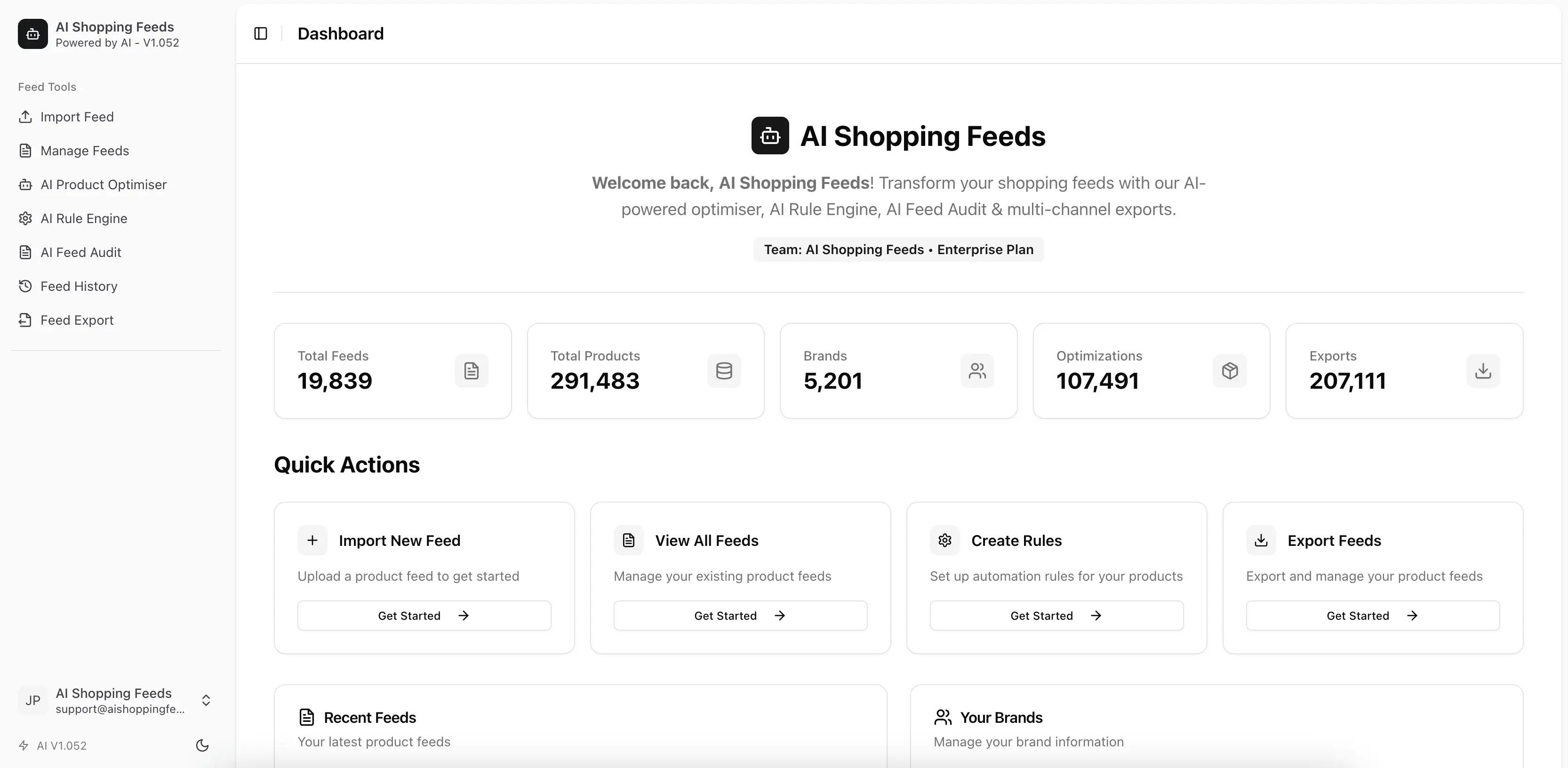
If you sell on Shopify and want your products on Google Shopping, it is tempting to think of the setup as a checkbox task. Install the Google & YouTube channel, connect accounts, wait for sync, and move on. That is the right starting instinct, but it is not the whole operational picture.
A Shopify Google Shopping feed only works well when three layers line up at the same time: Shopify product data, Merchant Center configuration, and the storefront experience Google evaluates after it crawls the landing pages. If one layer is weak, products can stay pending, collect warnings, or be disapproved even though the Shopify side looks fine.
This tutorial walks through the native path first, because that is where most merchants should begin. It then explains the points where a dedicated feed-management layer becomes the better long-term decision.
Related posts
Start with the native Shopify setup path
Shopify’s official documentation for setting up the Google & YouTube sales channel is the correct first stop. Shopify is explicit that the channel is managed by Google and that merchants should use Merchant Center guidance for account-specific setup and troubleshooting.
That matters because Shopify is the storefront source, but Merchant Center is still where Google decides whether products can show. The setup is not complete until both systems agree on the store identity, the website domain, and the product eligibility requirements.
- Connect a Google account.
- Connect or create a Merchant Center account.
- Make sure the domain can be claimed and verified.
- Configure shipping, returns, and other business settings needed for the target country.
Understand the requirements before you sync products
Shopify’s Google & YouTube requirements page is worth reading before a merchant starts fixing random disapprovals. It explains that a Google account and a Merchant Center account are needed, and it also surfaces constraints such as domain association and account eligibility.
On Google’s side, the real feed requirements sit in the product data specification and the free listings documentation. Merchants do not need to memorize every attribute up front, but they do need to understand that Google is evaluating the product data as structured commerce content, not as a generic storefront catalog.
Make Shopify product data Google-ready before the first sync
The strongest launch path is to clean the product data before asking Google to evaluate it. Shopify products that look acceptable in the storefront may still be weak in Shopping because Shopping surfaces depend more heavily on structured identifiers and stripped-down product context.
Titles and descriptions
Product titles should be clear enough for Google to understand brand, product type, and relevant attributes without relying on collection context. Descriptions should explain the item naturally and consistently with the landing page, not act like keyword stuffing.
Identifiers and taxonomy
GTIN, MPN, brand, product type, and category alignment matter more than many Shopify teams expect. Missing or inconsistent identifiers are a recurring source of product issues, especially for larger catalogs.
Images, price, and availability
Images need to be accessible and commercially usable. Price and availability must match the landing page. When Google sees drift between the site and the feed, trust falls quickly.
Know when a CSV or feed layer is useful
Shopify documents CSV-based product import and export workflows, and those workflows are helpful even for merchants who plan to use the native Google connection. CSV exports are often the fastest way to audit titles, identify missing fields, and run bulk cleanup.
That said, CSV is not a feed strategy by itself. It is a bulk-edit mechanism. Once the store needs recurring transformations, segmentation, AI enrichment, or channel-specific outputs, the merchant usually needs something more repeatable than spreadsheet surgery.
Set up Merchant Center like an operator, not just a connector
A connected Merchant Center account still needs business settings that reflect reality. Google’s issue and disapproval flows repeatedly come back to the same points: shipping, tax where applicable, website parity, policy compliance, and product-level data quality.
If the account is configured mechanically but not operationally, products can technically sync but still fail to serve cleanly.
- Use the right target country and business settings.
- Confirm shipping and returns data are current.
- Verify that the domain, checkout, and policy pages are live and trustworthy.
- Check whether the product landing pages truly match the feed content.
Use diagnostics to fix the source, not just the symptom
Google’s documentation on issues in Merchant Center is the right mental model here. Product-level issues affect individual items, while account-level issues can affect everything. Warnings can become disapprovals. Some issues are tied to website parity, not just the feed row.
That means the correct fix is often not ‘edit one value in Merchant Center and move on’. The correct fix is to identify the real source in Shopify or in the publication workflow so the issue does not return on the next refresh.
Where AI Shopping Feeds helps a Shopify Google workflow
AI Shopping Feeds is useful when the merchant wants to keep Shopify as the source and Google as a major destination, but no longer wants to rely on a thin sync path alone. The product can import from Shopify, apply AI optimization, use rules, audit feed quality, and publish to Google alongside broader channel outputs.
That matters most when titles and descriptions need stronger structure, when exclusions and formatting logic should be repeatable, or when the team needs more visibility into what changed and why.
A practical rollout model for merchants
The safest rollout is usually staged. Start with the native Shopify-to-Google setup, clean obvious product data issues, launch a controlled slice if needed, and use diagnostics to learn where the catalog is weak. Only then decide whether the store needs a deeper feed-management layer.
This prevents a common mistake: buying more tooling before the merchant understands whether the actual problem is account setup, source-data quality, or operational discipline.
Operational ownership
A recurring reason feed programs drift is that nobody can answer a simple question: who owns the decision when catalog truth and channel logic conflict? The merchandising team might own titles, the operations team might own destination rules, and paid-media teams might notice issues first, but unless one person or group owns final publication quality, problems keep bouncing around the business.
That governance matters even more on Shopify because teams can change products quickly in the admin. Fast editing is good for commerce velocity, but only if the publication process has equally clear ownership and review points.
- Document the owner of every high-impact attribute and exception path.
- Decide who signs off on structural feed changes before they publish.
- Review destination diagnostics after major catalog edits, not only after media launches.
Catalog audit routine
A healthy feed process starts with a repeating audit routine. Teams should sample bestsellers, slow movers, new launches, and exception-heavy products before assuming the whole export is healthy. That sample tells you whether the workflow is robust across the catalog or only clean for the top products everyone watches.
Merchants that skip this step often spend time optimizing already-broken rows. The issue is not lack of effort. It is that effort is being spent on the wrong layer of the system.
- Sample parent and variant rows every week.
- Check image, pricing, and availability parity against live pages.
- Retire manual overrides that should now live in the source catalog.
Market and destination segmentation
Once a store sells across more than one destination, the feed should stop behaving like a single generic export. Markets, currencies, policies, promotion rules, and content expectations differ too much for one flat file to stay clean forever.
Segmentation does not always mean a separate store or a huge systems project. Often it means a better rule layer, stronger QA gates, and clearer destination-specific ownership so one market or channel no longer dictates the entire publication model.
- Separate destination logic from base catalog data.
- Use different QA checks for Google, Meta, and marketplace exports.
- Track which exceptions are market-specific and which indicate a source-data issue.
Measurement that matters
Feed teams should measure approval coverage, repeat issue rate, time-to-fix, and publish freshness before they obsess over channel expansion. Those metrics tell you whether the operating model is healthy enough to scale or whether it is barely holding together.
If those metrics are unstable, adding more destinations usually multiplies the cleanup burden rather than the revenue opportunity. Better measurement makes prioritization easier and makes tooling decisions more defensible internally.
- Track product eligibility by destination.
- Review recurring issue families rather than single incidents.
- Use feed history to understand which change caused which result.
Promotion and pricing governance
Promotions create some of the most expensive feed mistakes because they combine urgency with complexity. A discount can touch pricing, sale windows, landing-page messaging, product availability, and market logic all at once. If a feed workflow is already fragile, promotions expose the weakness immediately.
Teams should treat promotions as feed events, not only merchandising events. That means validating sale logic before launch and checking whether the published output reflects the commercial offer customers will actually see.
- Review price and sale windows before promotions go live.
- Check landing-page parity after major discount changes.
- Confirm that market-specific pricing logic still behaves as intended.
Supplier and imported data hygiene
Many Shopify catalogs inherit product data from suppliers, migrations, or historical CSV imports. Those sources can be commercially useful but structurally inconsistent. The result is a catalog that appears complete at a glance while still carrying weak identifiers, inconsistent attributes, or badly normalized text.
The feed workflow should compensate for imported-data inconsistency only temporarily. Long term, the team should either normalize the source or clearly define which transformation rules must remain in place.
- Flag imported records with low-confidence identifiers.
- Normalize attribute labels before they become channel logic.
- Track which cleanup steps belong in the source and which belong in the feed layer.
Variant governance at scale
Variant-heavy catalogs deserve their own operational discipline. The storefront can tolerate some messy parent-child structure because shoppers still browse through the product page, but feeds are less forgiving. They need consistent size, color, material, gender, compatibility, or bundle logic depending on the category.
A merchant that does not review variant structure systematically usually ends up fixing symptoms at the channel level instead of correcting the variant model once for every destination.
- Review parent-child mapping on new assortments.
- Check image coverage and attribute consistency per variant family.
- Use feed QA to catch variant gaps before they turn into repeated issue families.
Exception registers and rollback plans
High-performing feed teams do not just document the ideal workflow. They also document the known exceptions. Some products need unusual handling because of supplier limitations, legal language, bundling rules, or channel restrictions. Those exceptions should be registered explicitly rather than remembered informally.
Rollback planning matters for the same reason. If a publication change fails, the team needs a known path back to a stable state instead of improvising under pressure.
- Keep a record of exceptions that justify non-standard rules.
- Define the rollback point before large structural changes.
- Remove stale exceptions as source data improves.
Content review loops
Product copy improves fastest when feed teams treat content as an operational asset instead of a one-time merchandising task. Titles, descriptions, and category cues should be reviewed using actual destination outcomes, not just internal preference.
That is especially useful on Shopify because storefront copy often evolves for brand and conversion reasons, while off-site feeds need clearer structure and less dependence on page layout for meaning.
- Review weak-performing titles and descriptions in batches.
- Separate storefront style preferences from destination clarity requirements.
- Use AI enrichment where it speeds structured improvement, not where it hides source problems.
Team communication after publish
Publication is not the end of the workflow. The hours immediately after a significant update are when merchants learn whether the changes actually held together. Teams should know who watches diagnostics, who confirms price and stock parity, and who decides whether to pause, continue, or roll back.
A short communication loop after publish prevents small issues from becoming account-wide cleanup projects.
- Assign an owner for first-check diagnostics after major publishes.
- Confirm parity on live product pages, not only in exported files.
- Escalate recurring issue families quickly instead of treating them as isolated incidents.
Channel expansion readiness
Before adding a new destination, merchants should ask whether the existing catalog and workflow are stable enough to support one more output. A feed system that is barely stable on one major channel usually becomes expensive on three.
Expansion works best when the merchant already understands the source catalog, the rule layer, and the audit process well enough to predict where the next destination will create exceptions.
- Add destinations in stages rather than in one large burst.
- Validate one representative product set before full rollout.
- Treat expansion as a workflow test, not only a channel opportunity.
Operational ownership
A recurring reason feed programs drift is that nobody can answer a simple question: who owns the decision when catalog truth and channel logic conflict? The merchandising team might own titles, the operations team might own destination rules, and paid-media teams might notice issues first, but unless one person or group owns final publication quality, problems keep bouncing around the business.
That governance matters even more on Shopify because teams can change products quickly in the admin. Fast editing is good for commerce velocity, but only if the publication process has equally clear ownership and review points.
- Document the owner of every high-impact attribute and exception path.
- Decide who signs off on structural feed changes before they publish.
- Review destination diagnostics after major catalog edits, not only after media launches.
Catalog audit routine
A healthy feed process starts with a repeating audit routine. Teams should sample bestsellers, slow movers, new launches, and exception-heavy products before assuming the whole export is healthy. That sample tells you whether the workflow is robust across the catalog or only clean for the top products everyone watches.
Merchants that skip this step often spend time optimizing already-broken rows. The issue is not lack of effort. It is that effort is being spent on the wrong layer of the system.
- Sample parent and variant rows every week.
- Check image, pricing, and availability parity against live pages.
- Retire manual overrides that should now live in the source catalog.
Market and destination segmentation
Once a store sells across more than one destination, the feed should stop behaving like a single generic export. Markets, currencies, policies, promotion rules, and content expectations differ too much for one flat file to stay clean forever.
Segmentation does not always mean a separate store or a huge systems project. Often it means a better rule layer, stronger QA gates, and clearer destination-specific ownership so one market or channel no longer dictates the entire publication model.
- Separate destination logic from base catalog data.
- Use different QA checks for Google, Meta, and marketplace exports.
- Track which exceptions are market-specific and which indicate a source-data issue.
Measurement that matters
Feed teams should measure approval coverage, repeat issue rate, time-to-fix, and publish freshness before they obsess over channel expansion. Those metrics tell you whether the operating model is healthy enough to scale or whether it is barely holding together.
If those metrics are unstable, adding more destinations usually multiplies the cleanup burden rather than the revenue opportunity. Better measurement makes prioritization easier and makes tooling decisions more defensible internally.
- Track product eligibility by destination.
- Review recurring issue families rather than single incidents.
- Use feed history to understand which change caused which result.
Promotion and pricing governance
Promotions create some of the most expensive feed mistakes because they combine urgency with complexity. A discount can touch pricing, sale windows, landing-page messaging, product availability, and market logic all at once. If a feed workflow is already fragile, promotions expose the weakness immediately.
Teams should treat promotions as feed events, not only merchandising events. That means validating sale logic before launch and checking whether the published output reflects the commercial offer customers will actually see.
- Review price and sale windows before promotions go live.
- Check landing-page parity after major discount changes.
- Confirm that market-specific pricing logic still behaves as intended.
Supplier and imported data hygiene
Many Shopify catalogs inherit product data from suppliers, migrations, or historical CSV imports. Those sources can be commercially useful but structurally inconsistent. The result is a catalog that appears complete at a glance while still carrying weak identifiers, inconsistent attributes, or badly normalized text.
The feed workflow should compensate for imported-data inconsistency only temporarily. Long term, the team should either normalize the source or clearly define which transformation rules must remain in place.
- Flag imported records with low-confidence identifiers.
- Normalize attribute labels before they become channel logic.
- Track which cleanup steps belong in the source and which belong in the feed layer.
Variant governance at scale
Variant-heavy catalogs deserve their own operational discipline. The storefront can tolerate some messy parent-child structure because shoppers still browse through the product page, but feeds are less forgiving. They need consistent size, color, material, gender, compatibility, or bundle logic depending on the category.
A merchant that does not review variant structure systematically usually ends up fixing symptoms at the channel level instead of correcting the variant model once for every destination.
- Review parent-child mapping on new assortments.
- Check image coverage and attribute consistency per variant family.
- Use feed QA to catch variant gaps before they turn into repeated issue families.
Exception registers and rollback plans
High-performing feed teams do not just document the ideal workflow. They also document the known exceptions. Some products need unusual handling because of supplier limitations, legal language, bundling rules, or channel restrictions. Those exceptions should be registered explicitly rather than remembered informally.
Rollback planning matters for the same reason. If a publication change fails, the team needs a known path back to a stable state instead of improvising under pressure.
- Keep a record of exceptions that justify non-standard rules.
- Define the rollback point before large structural changes.
- Remove stale exceptions as source data improves.
How AI Shopping Feeds fits into this workflow
AI Shopping Feeds is not being positioned here as a generic promise machine. It is useful because the product already supports Shopify connection and import flows, AI product optimisation, rules, audits, exports, feed history, and API or MCP-driven workflows for teams that need more control.
In practice, that means Shopify merchants can keep Shopify as the catalog source while adding a control layer for channel-specific outputs, content improvements, monitoring, and multichannel expansion. That is the operational gap many merchants feel once the catalog gets bigger, the team gets busier, or the business stops selling through just one destination.
For Shopify stores that want more than a basic Google sync, AI Shopping Feeds adds a stronger control layer: Shopify import, AI-assisted product content improvement, rule logic, auditing, export management, and a clearer history of what changed.
If you want to evaluate pricing first, review Pricing and Free Shopping Feed Management. If your team needs a more technical workflow, see the Google Shopping API and Developers pages.
Frequently asked questions
Do I need Google Merchant Center to create a Shopify Google Shopping feed?
Yes. Shopify’s official Google & YouTube setup flow depends on connecting to Google Merchant Center, and Google uses Merchant Center as the account where product data, diagnostics, and eligibility are managed.
Can I use a CSV instead of the native Shopify-to-Google setup?
Yes. Shopify documents CSV import and export workflows, and some merchants use CSVs or feed tools for tighter control. The native route is simpler, but a dedicated feed layer often becomes more useful as complexity grows.
Why are products in Shopify but not eligible in Google?
Because storefront presence and feed eligibility are different things. Google evaluates product data quality, website parity, shipping or tax setup, policy compliance, and destination-specific attributes before products can serve.
When should I add a dedicated feed tool on top of Shopify?
When your Google workflow needs stronger rules, better content, more diagnostics, international segmentation, or publication control that goes beyond a simple native sync.
Where to go next
If your next problem is fixing errors, continue to How to Fix Shopify Feed Errors in Google Merchant Center.
If you are comparing Shopify-native and broader options, read Best Shopify Feed Management Apps.
If you want a free starting point, review Free Shopping Feed Management before expanding into a more advanced workflow.
Why wait? Try it free today.
Stop managing feeds manually. Start optimising with AI in 30 seconds.
- 100% free forever, no credit card required
- 1 brand, 1 feed, 100,000 products per feed
- Full AI Product Optimisation, Rule Engine, and 200+ channel exports
- Pay only for AI credits when you need them